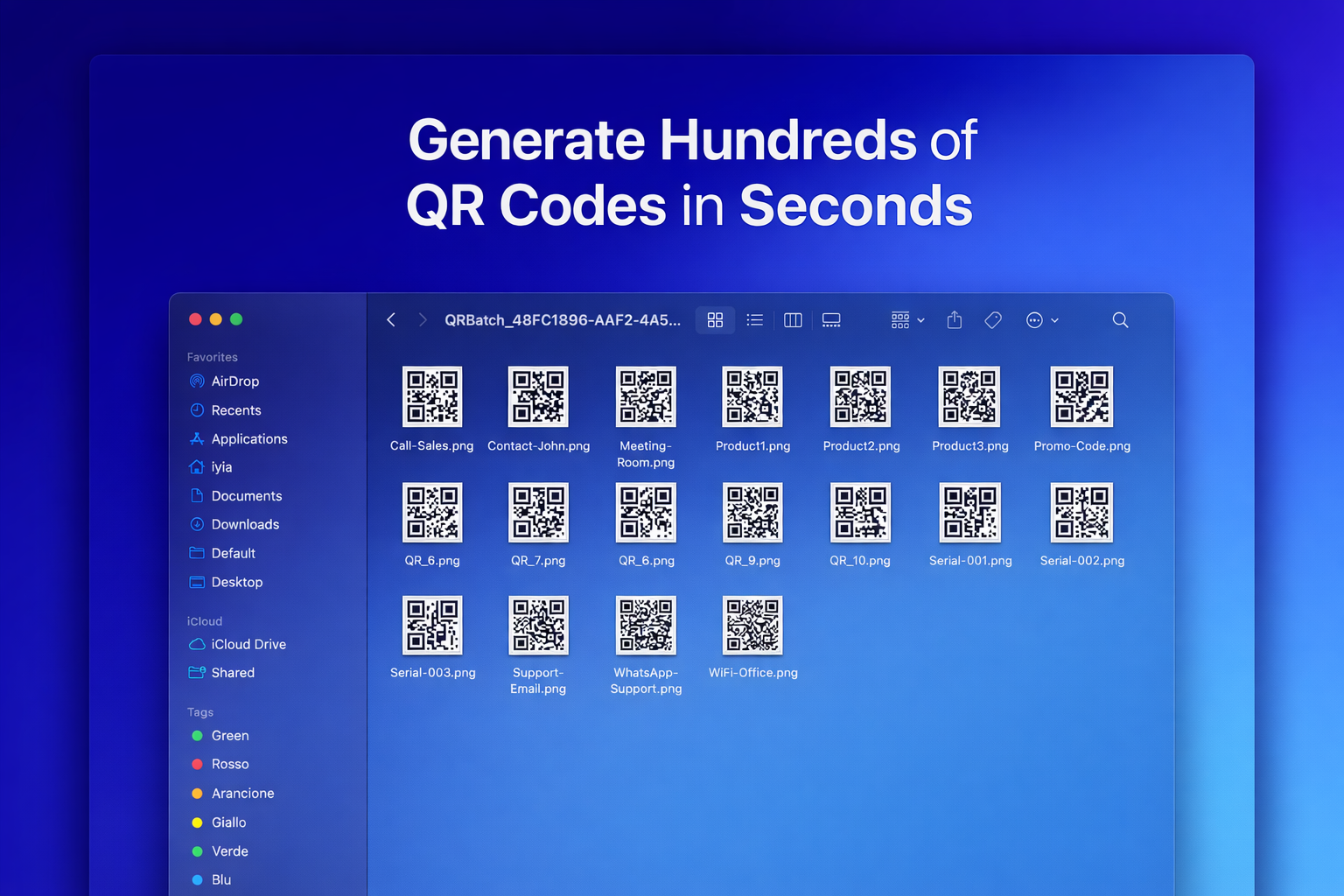
Need to create QR codes for 100 products? 500 event tickets? 1,000 employee badges? Manually generating them one by one would take hours—or even days.
That's where batch QR code generation comes in. With Codex QR's batch processing feature, you can generate hundreds or even thousands of QR codes in seconds from a simple CSV or TXT file.
What is Batch QR Code Generation?
Batch QR code generation (also called bulk or mass QR code creation) is the process of creating multiple QR codes simultaneously from a list of data. Instead of:
- Opening the generator
- Entering data for QR code #1
- Generating and saving it
- Repeating 99 more times...
You simply upload a file with all your data, click generate, and get all 100 QR codes ready to use in seconds.
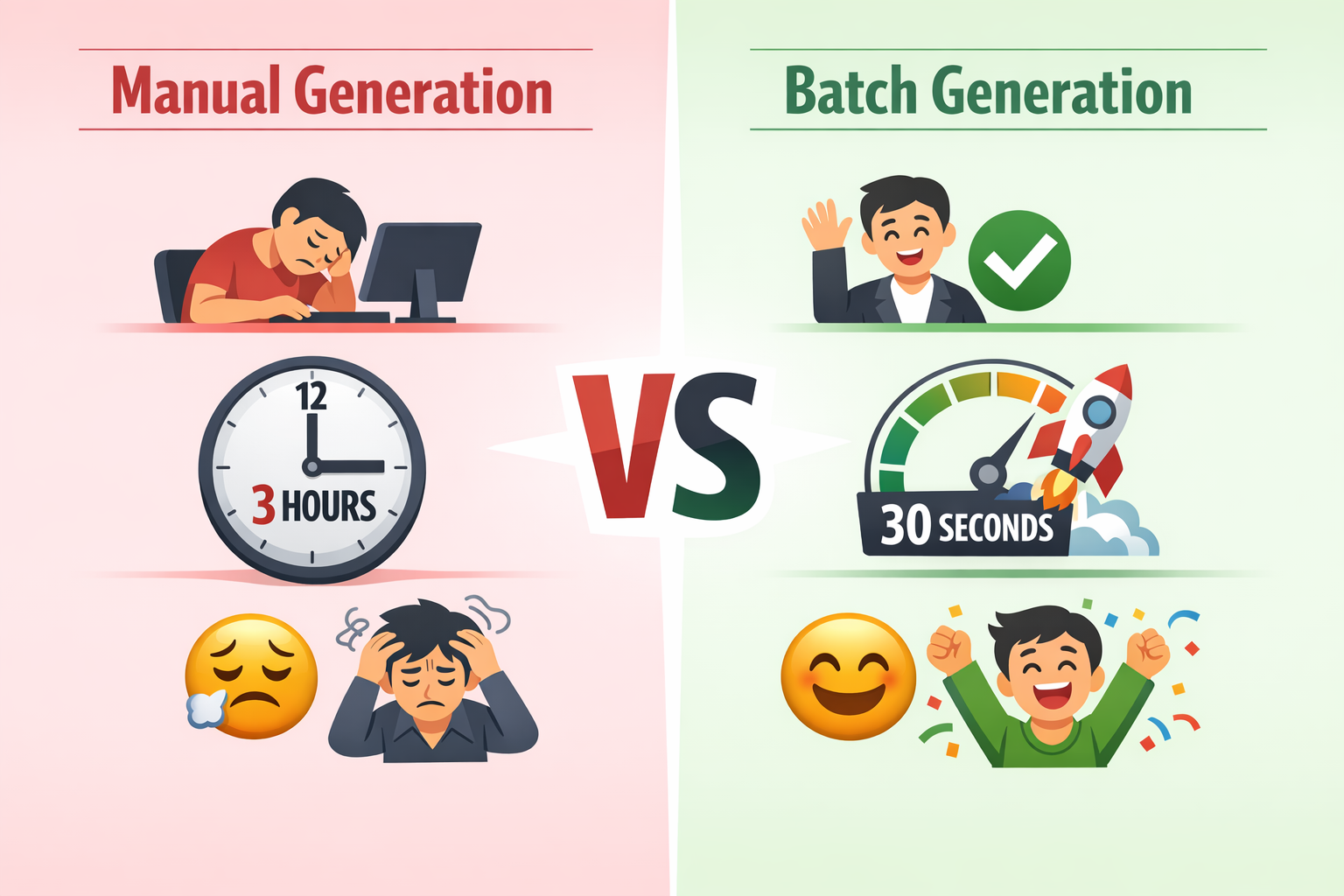
Why Use Batch QR Code Generation?
1. Save Massive Amounts of Time
Creating 100 QR codes manually might take 2-3 hours. With batch generation, you're done in under a minute. That's a 99% time savings.
2. Reduce Human Error
When entering data manually for hundreds of QR codes, typos are inevitable. Batch generation from a spreadsheet ensures every QR code is accurate.
3. Maintain Consistency
All QR codes are generated with the same settings—resolution, colors, error correction, margins. No variations from fatigue or distraction.
4. Scale Your Projects
Need 10 QR codes? 100? 1,000? The effort is the same. Batch generation scales effortlessly.
Common Use Cases for Batch QR Codes
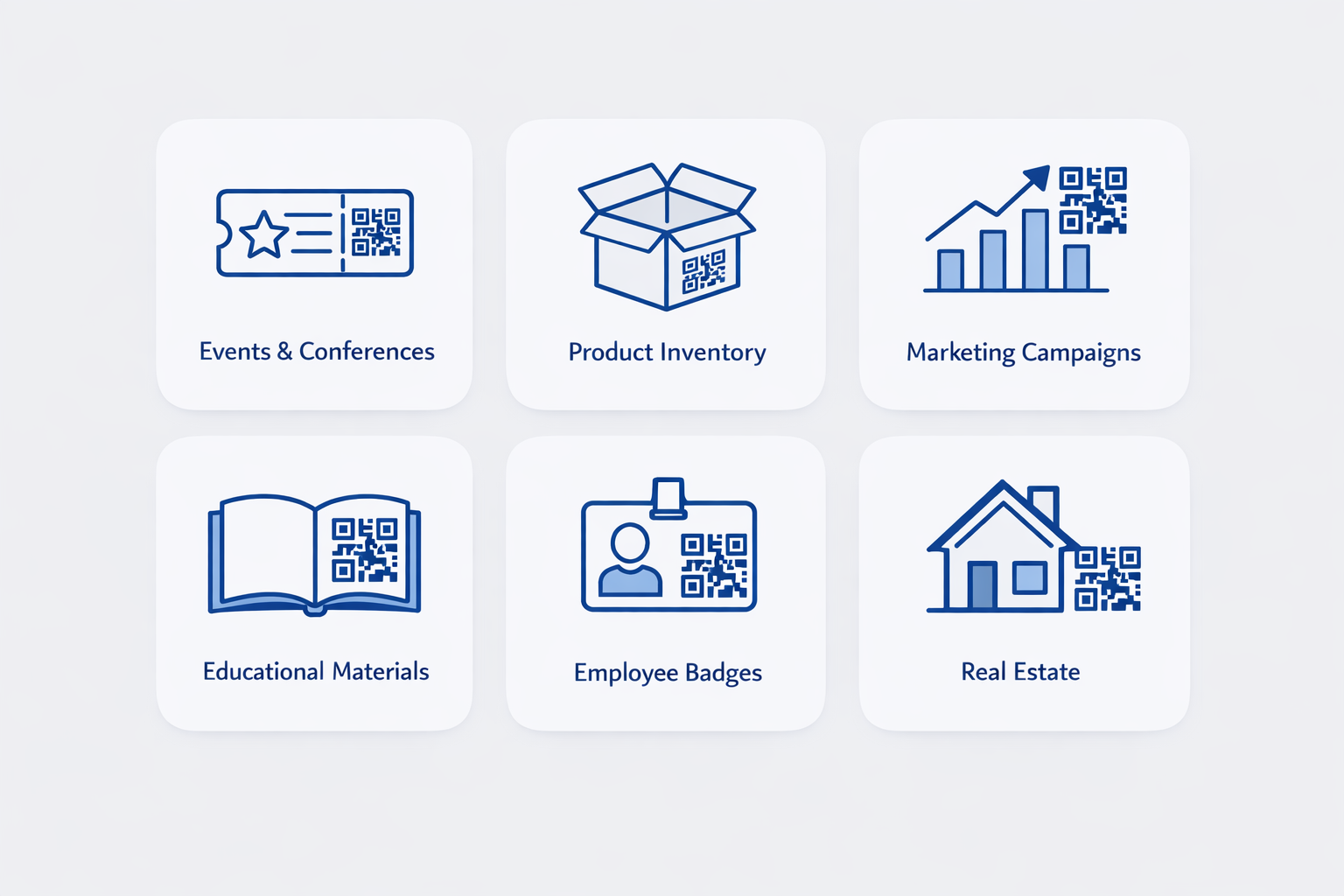
Here are some real-world scenarios where batch QR code generation is essential:
Events & Conferences
Generate unique QR codes for every attendee ticket, each linking to their registration details or personalized agenda.
Product Inventory
Create QR codes for every product in your catalog, linking to product pages, manuals, or warranty information.
Marketing Campaigns
Generate tracking QR codes for print materials, each with unique UTM parameters to measure campaign performance.
Educational Materials
Create QR codes for every chapter or resource in a textbook, linking students to supplementary videos or exercises.
Employee Badges
Generate vCard QR codes for every team member's contact information.
Real Estate Listings
Create unique QR codes for every property, linking to virtual tours or listing details.
How to Generate Multiple QR Codes in Codex QR
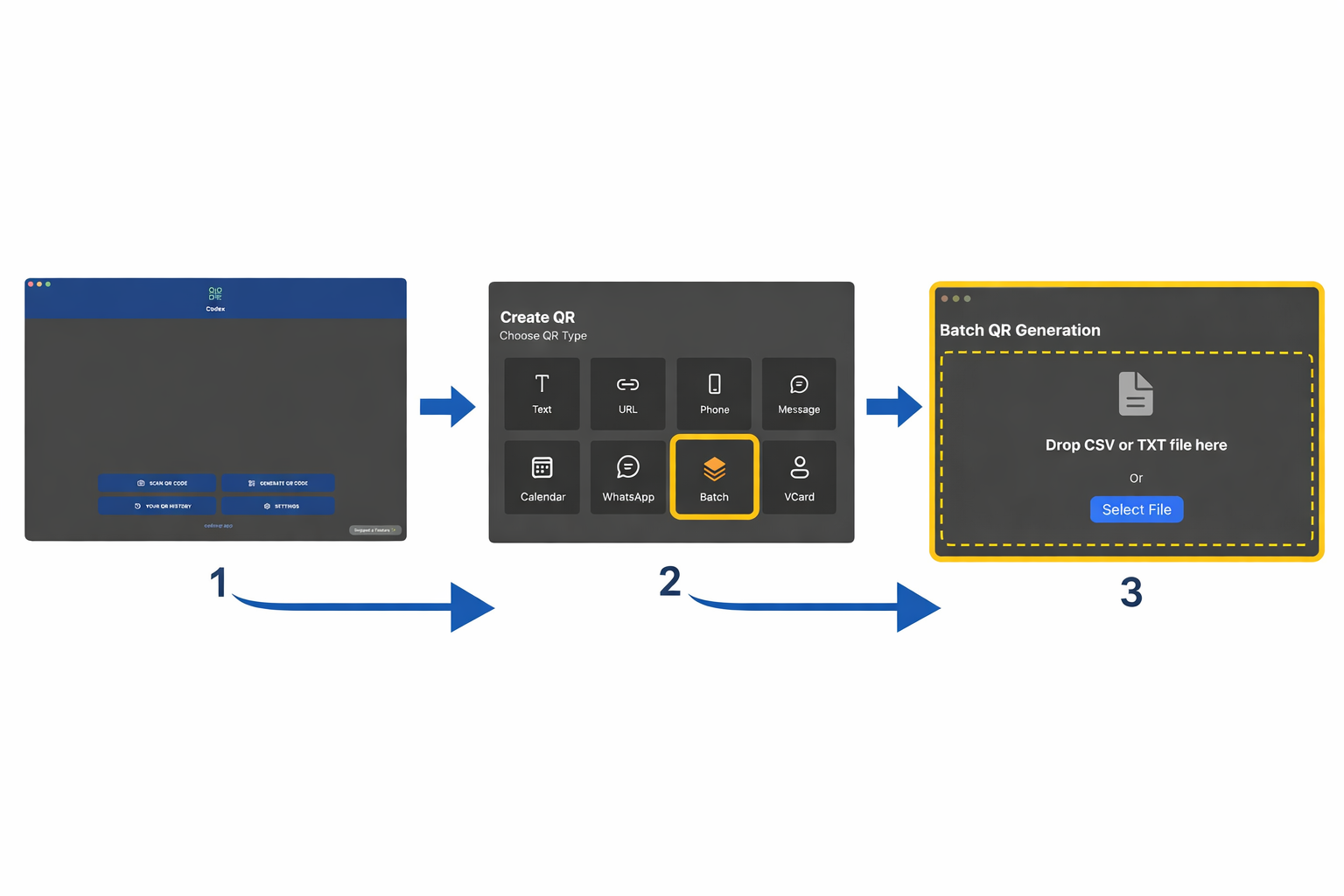
Codex QR makes batch generation incredibly simple. Here's the step-by-step process:
Step 1: Access Batch QR Generation
Open Codex QR and click Generate QR from the home screen. In the top-right corner, you'll see a Batch QR button—click it.
Step 2: Prepare Your Data
You can import data in two formats:
CSV File (Recommended)
Create a CSV file with your data. The first row should be headers, and each subsequent row is one QR code.
Example for URLs:
url
https://example.com/product-1
https://example.com/product-2
https://example.com/product-3
Example for vCards:
name,email,phone
John Doe,john@example.com,+1234567890
Jane Smith,jane@example.com,+0987654321
TXT File (For Simple Lists)
For simple text or URL QR codes, a plain text file works too—one entry per line:
https://example.com/product-1
https://example.com/product-2
https://example.com/product-3
Step 3: Import Your File
In the Batch QR screen, click Import CSV/TXT and select your file. Codex QR will automatically parse the data and show you a preview.
Alternatively, you can paste content directly into the text area if you have your data in your clipboard.
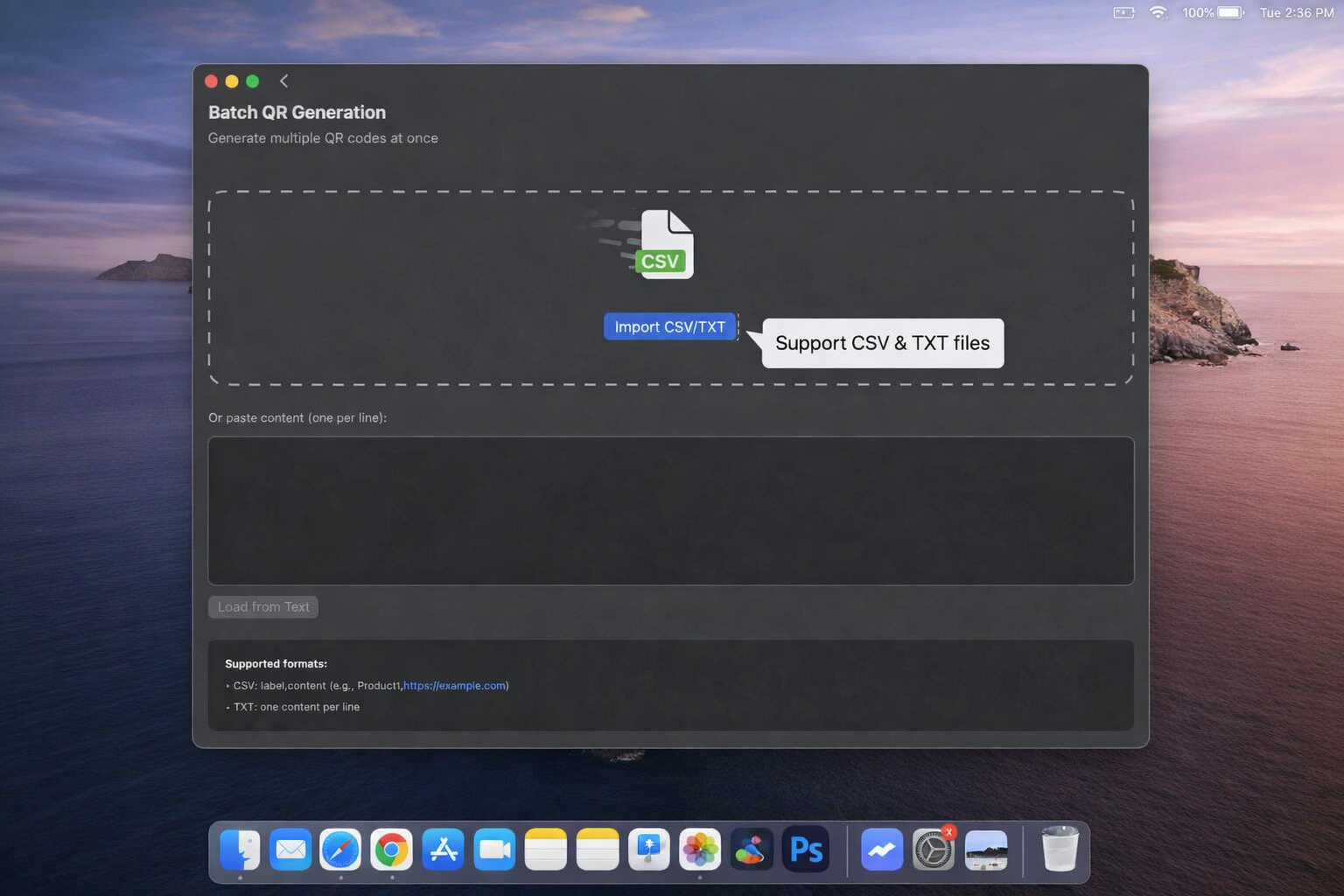
Step 4: Review the Preview
Codex QR shows you a live preview of the QR codes being generated. This lets you verify that:
- The data is parsed correctly
- QR codes are scannable
- The format looks good
You'll see the total count of QR codes that will be generated and can scroll through the preview list.
Step 5: Generate All QR Codes
Click the Generate All button. Codex QR processes your entire list using parallel processing to maximize speed.
For 100 QR codes, this typically takes 5-10 seconds on a modern Mac. For 1,000 QR codes, expect 30-60 seconds.
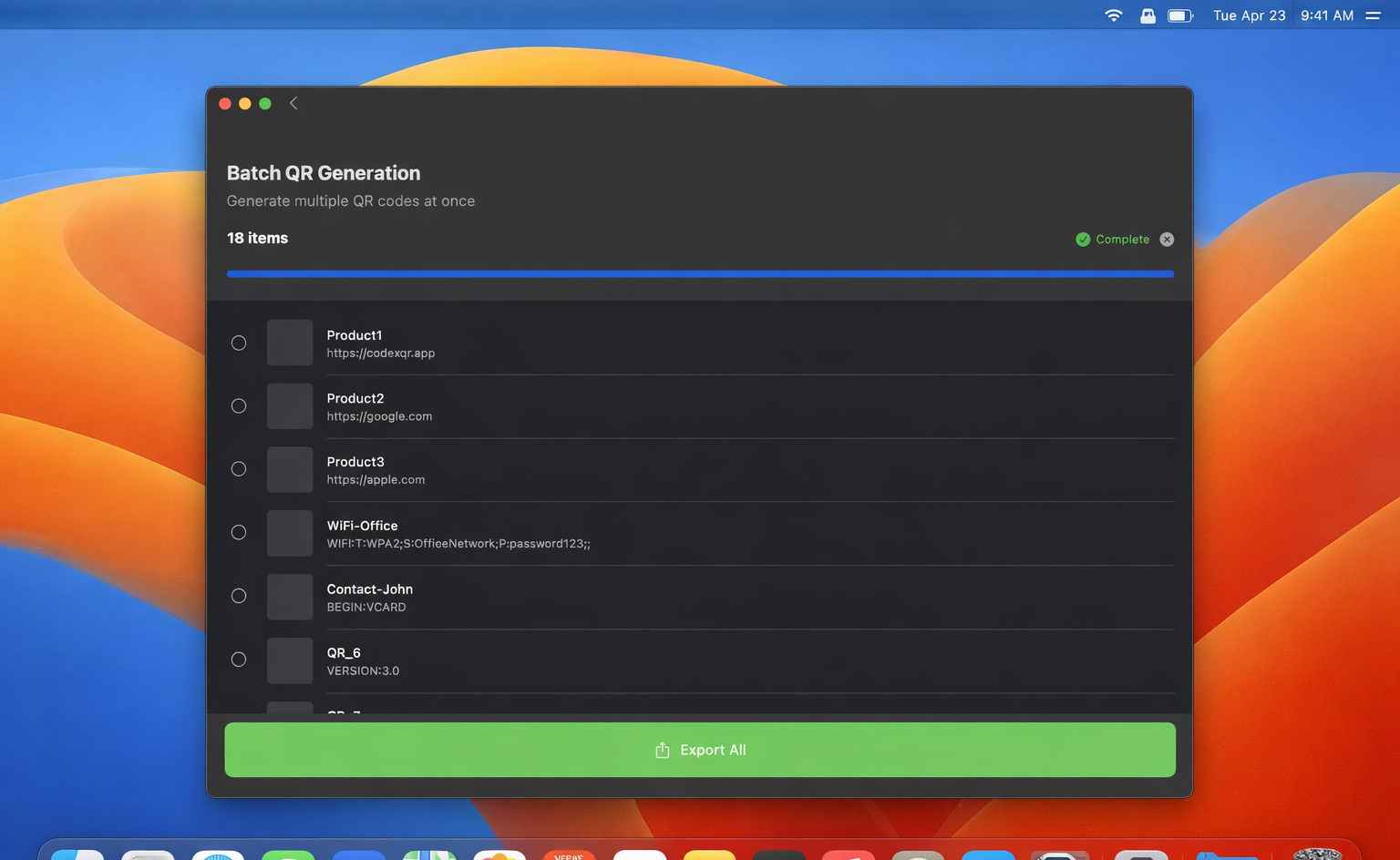
Step 6: Export Your QR Codes
Once generation is complete, click Save All. Choose a folder, and Codex QR will export all QR codes as individual PNG files.
Files are automatically named based on your data (e.g., product-1.png, product-2.png) to keep everything organized.
Pro Tips for Batch QR Generation
1. Use Descriptive Filenames
Include meaningful identifiers in your CSV data. Instead of generic URLs, use:
https://example.com/event-ticket-12345
2. Test with a Small Batch First
Before generating 1,000 QR codes, create a test batch of 5-10 to verify your data format and settings are correct.
3. Choose the Right Resolution
For print materials, use at least 512x512 pixels. For digital displays, 256x256 is usually sufficient. Adjust in Settings before batch generation.
4. Consider Error Correction
If QR codes might get damaged or partially obscured, use a higher error correction level (H = High) in Settings. This makes codes slightly larger but more resilient.
5. Organize Your Output
Create separate folders for different batches or projects. For example:
/QR-Codes/Summer-Event-2026/
/QR-Codes/Product-Catalog-Q1/
Performance: How Fast is Batch Generation?
Codex QR uses parallel processing optimized for your Mac's CPU. Here are typical generation times:
- 100 QR codes: 5-10 seconds
- 500 QR codes: 20-30 seconds
- 1,000 QR codes: 40-60 seconds
- 5,000 QR codes: 3-5 minutes
Processing is limited to your CPU core count to prevent system slowdowns, ensuring your Mac remains responsive during generation.
Data Privacy: Everything Stays Local
Unlike online batch QR generators that upload your data to remote servers, Codex QR processes everything locally on your Mac.
This means:
- ✅ Your data never leaves your device
- ✅ No internet connection required
- ✅ Complete privacy for sensitive information
- ✅ Works offline at events or secure locations
Batch QR Generation vs. Online Tools
| Feature | Codex QR | Online Tools |
|---|---|---|
| Processing Location | ✅ Local | ❌ Cloud |
| Works Offline | ✅ Yes | ❌ No |
| Data Privacy | ✅ 100% | ⚠️ Limited |
| Speed | ✅ Very Fast | ⚠️ Upload Dependent |
| Batch Limit | ✅ Unlimited | ❌ Often Limited |
| One-time Cost | ✅ Yes | ❌ Subscriptions |
Get Started with Batch QR Generation
Ready to save hours on your next QR code project? Download Codex QR for macOS and start generating hundreds of QR codes in seconds.
Codex QR is also available on Windows with the same powerful batch generation features.
Download Codex QR
Professional batch QR code generation. Process thousands of codes in minutes.
Download for macOS Download for Windows